The Full Workflow
Here's exactly what you get.
One download with everything inside: the setup, the commands, the prompts, the cast and the full video pipeline. Pay once, download it right away, and Claude Code handles the rest.
Step by step
From checkout to your first video.
-
1
Buy it
Press Buy now and pay on this page, by card or PayPal. You won't leave the site.
-
2
Get the download
Your order confirmation appears right after you pay, and your email receipt has a button that takes you to the file:
runecontent-full-workflow.zip. If you ever lose it, it stays in your Lemon Squeezy orders. -
3
Unzip it and open
GET_STARTED.mdPut the folder somewhere with space, such as Documents. The guide has every step below in more detail.
-
4
Open Claude Code in that folder
Install Claude Code if you don't have it. Then in a terminal, or from the Code tab in the Claude desktop app:
cd path/to/runecontent-full-workflow claude -
5
Type /setup
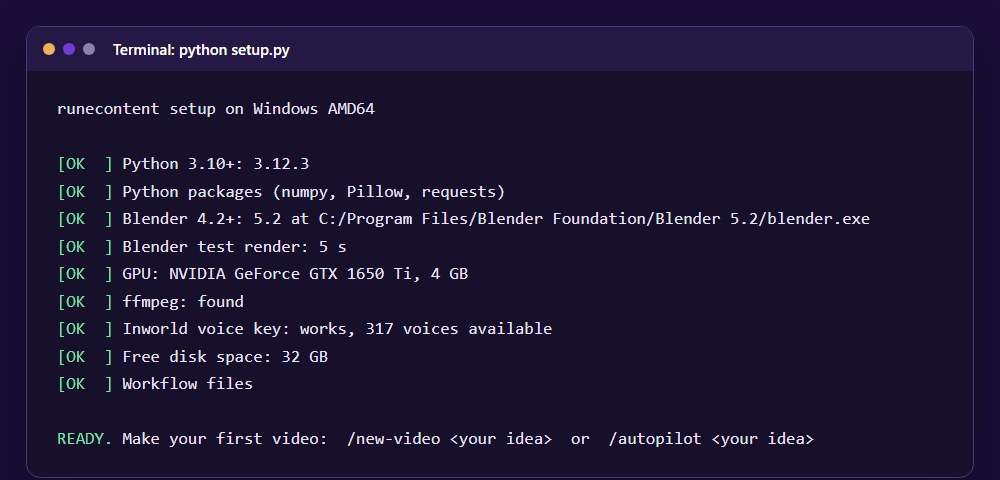
Claude checks your computer, installs Blender and ffmpeg if they're missing, and runs a test render. It tells you when to paste your voice key into the
.envfile. Plan on about 10 minutes, plus download time./setup -
6
Make your first video
Approve the script and preview yourself with
/new-video, or go straight through with/autopilot. The finished MP4 lands inprojects/<name>/out/. On a 4 GB graphics card, a 30-second video renders in about 40 minutes./autopilot A barista argues with her espresso machine about Mondays
That's the whole process. Ready to start?
Buy now for $17What's included
See inside before you buy.
These are real screenshots of the files in the download. Select any image to see it full size.
The complete folder
One folder holds everything. It's the same folder you see here after you unzip it, and everything runs on your own computer.
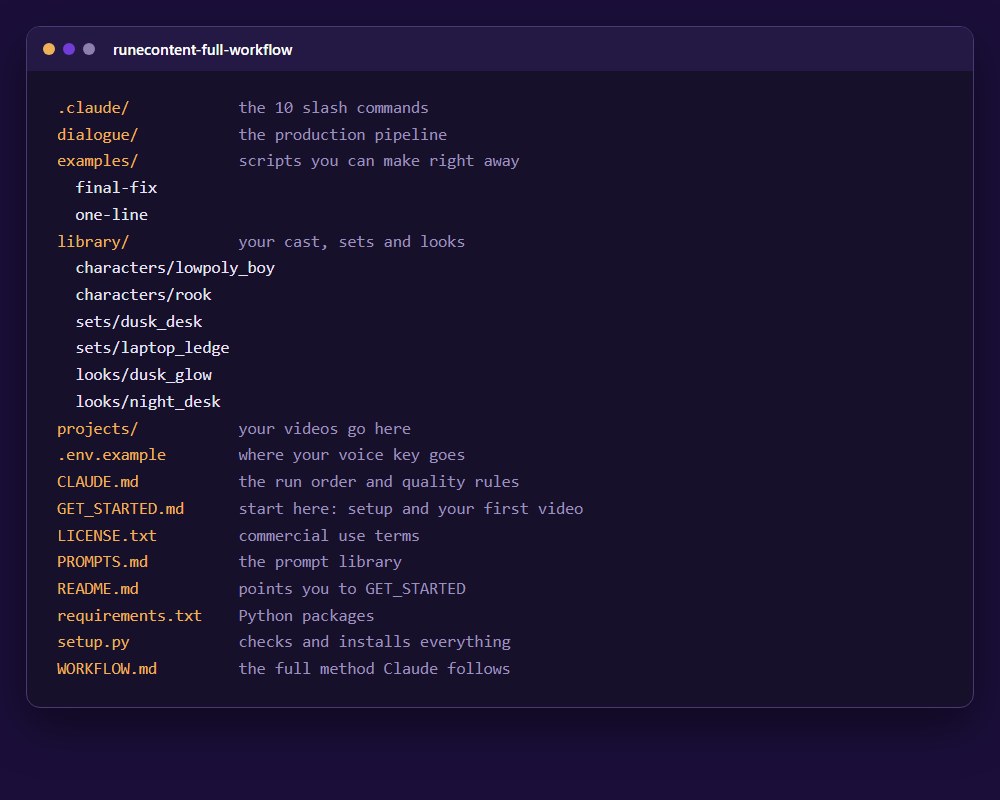
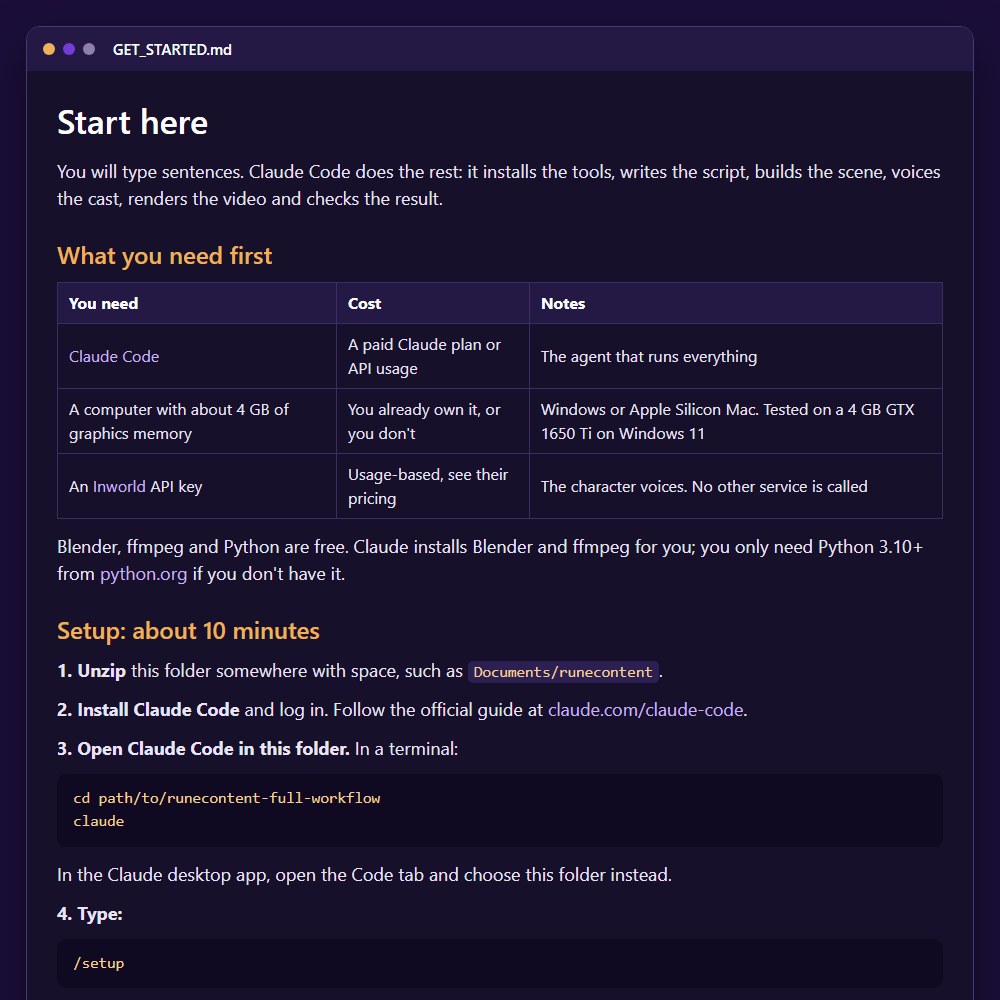
The step-by-step guide
GET_STARTED.md covers what you need, setup, your first video and what to do next, in plain English.
A setup that checks itself
This is the real output of the setup check on a fresh install. If something's missing, it says what and how to fix it.
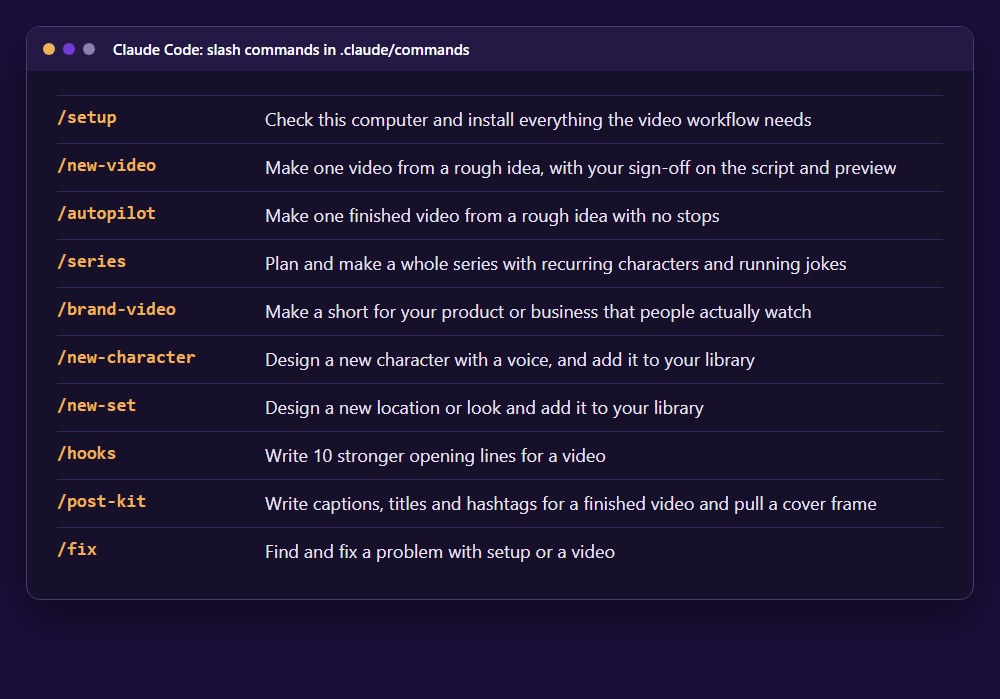
10 ready-made commands
Each one tells Claude the whole procedure, so you type one word and an idea. This list is taken directly from the download.
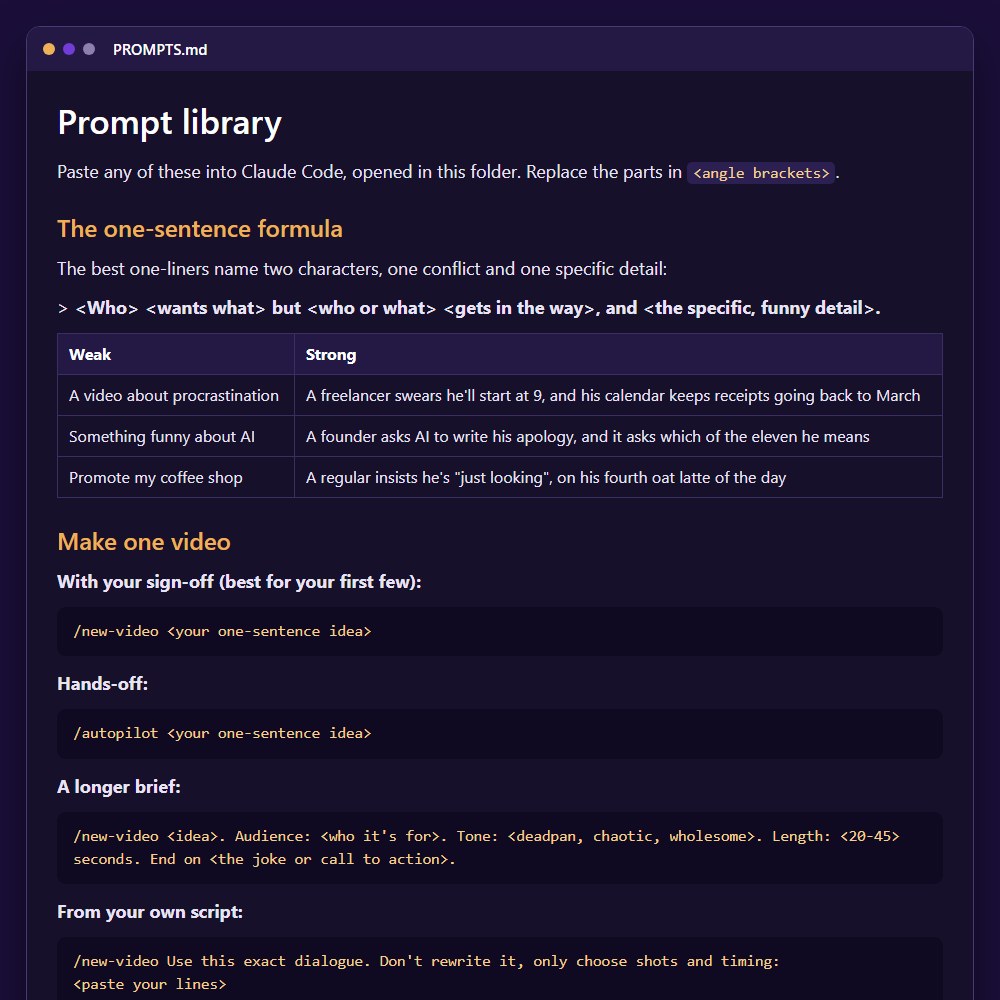
The prompt library
PROMPTS.md has paste-ready prompts for making videos, growing a channel, selling a product, working with clients and fixing problems.
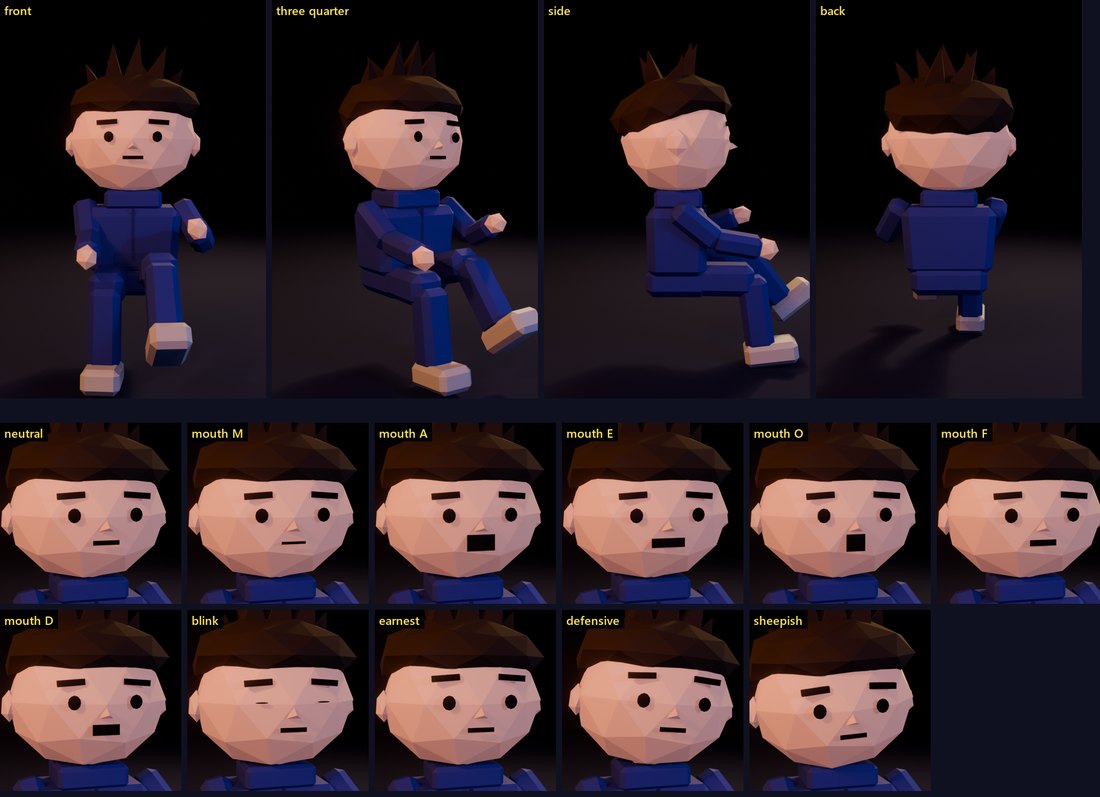
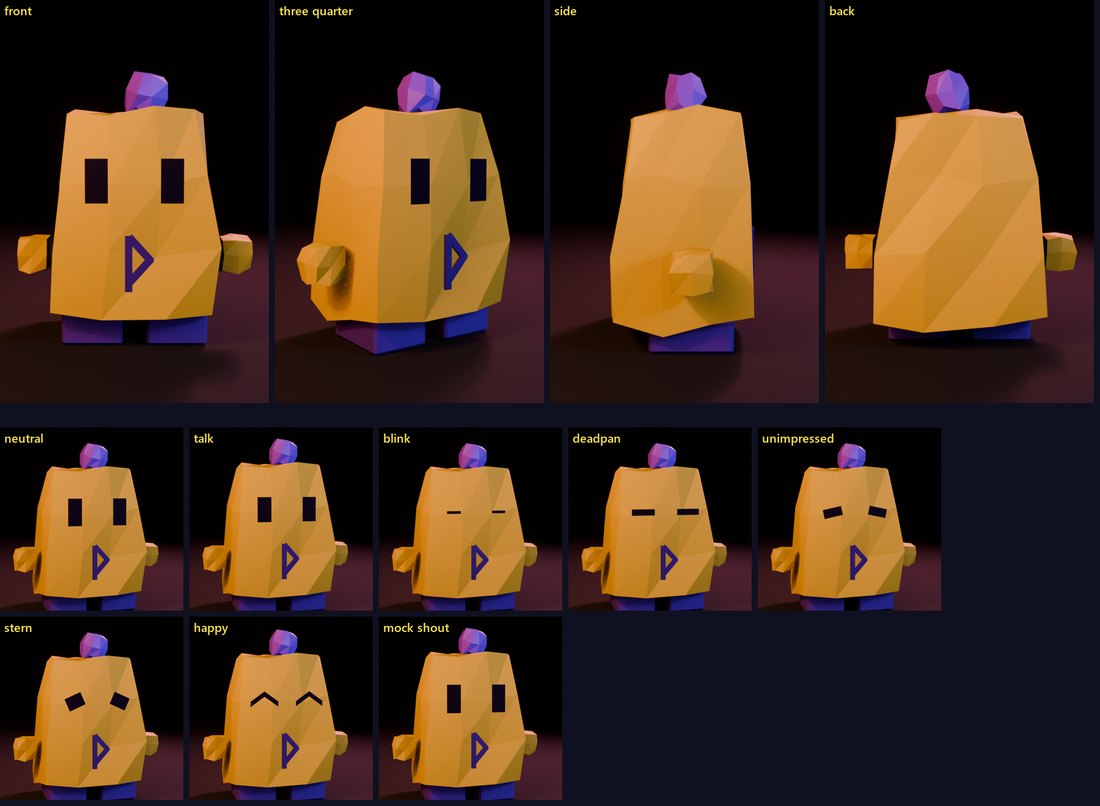
Your ready-made cast
Both characters come designed, rigged and voiced. These are their design sheets from the download, showing every angle, mouth shape and expression.
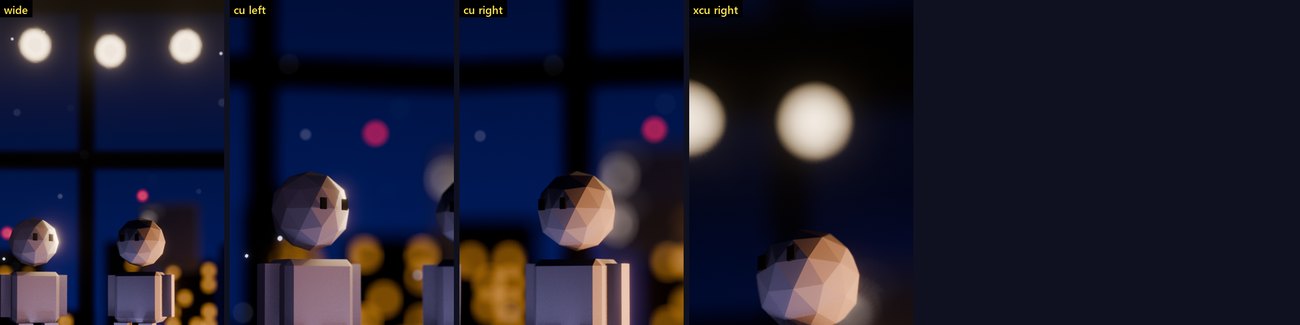
Two sets, already lit
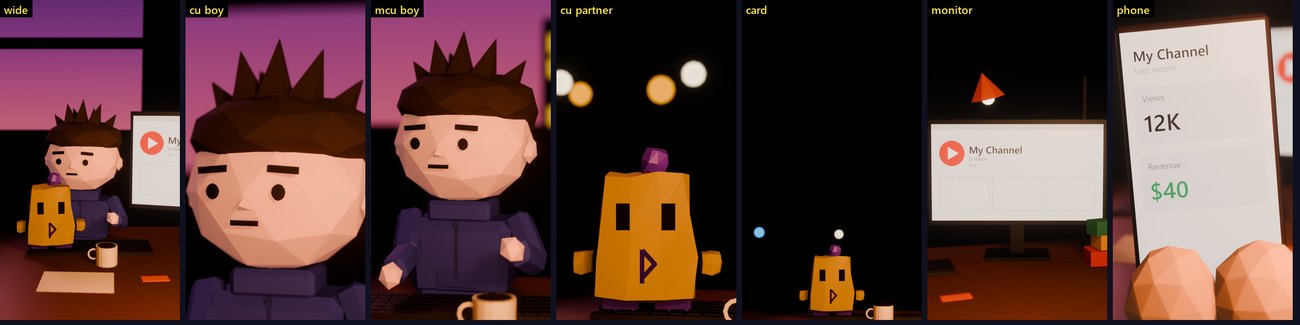
What comes out the other end
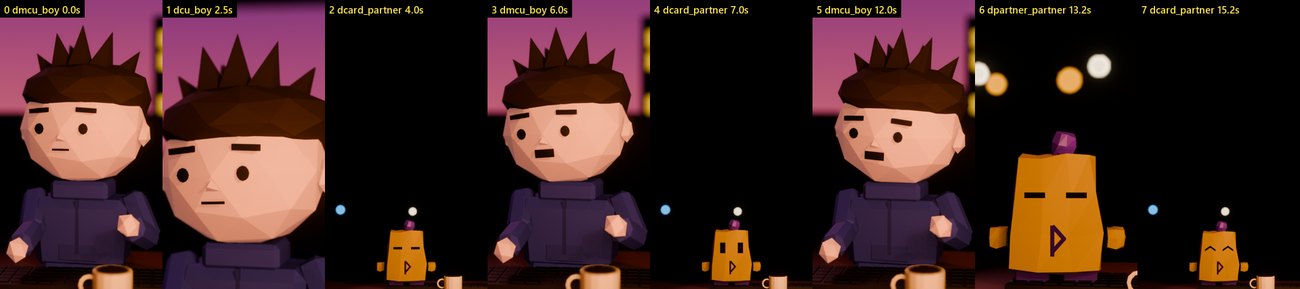
This contact sheet came from the example script that ships in the download, rendered from a fresh install. It shows one frame per shot, the same sheet Claude reviews before the final render. Examples are included so you can test everything right away.
Check this before you buy
What you'll need.
The download is everything from our side. These three things come from you.
- Claude Code, on a paid Claude plan or API usage
- An Inworld API key for the voices, billed by usage
- A computer with about 4 GB of graphics memory. Tested on Windows 11 with a GTX 1650 Ti. Apple Silicon Macs should work but aren't tested yet.
You'll also need Python 3.10 or newer from python.org. Blender and ffmpeg are free, and Claude installs them for you.